
Field guide
Running AI on your own hardware
What decides which models a server can run, how fast it answers, and what the room has to provide. Written for the executive who approves the budget and the architect who builds it, with a simulator you can try on your own numbers.
Ezgi Akcora · 25 min read
Executive summary
- What can we run, and what will it cost?
- A server with four PCIe GPUs, 384 GB of GPU memory, runs strong open models up to about 400 billion parameters for dozens of people at once. Expect roughly €60,000 to €80,000 to buy, and €8,000 to €17,000 a year in electricity and hardware support, before staff. Try your numbers →
- What should run where?
- Sensitive data stays on your own GPUs. Approved work can go to a frontier model, pseudonymized first when it carries personal data. One gateway applies the rules, so limited hardware goes to the work that must stay inside. See the flow →
- Which hardware do we need?
- Three numbers decide: memory, bandwidth and compute. Most organisations do not need the biggest hardware; only the very largest open models need an 8-GPU HGX board. Compare GPUs →
- What does the room need?
- Every kilowatt becomes heat. A four-GPU server draws about 4 kW, close to the 5 kW per rack many company server rooms were built for, so two in one rack already exceed it. Check this before you ask for a quote. Power and cooling →
- Where does the effort go?
- Not into the hardware. The gateway, the data rules, testing quality and daily operations take most of the work. Budget for them by name. Before you buy →
What can it run, and what will it cost?
Sizing begins with the workload: the model, the length of each document and the number of people expecting an answer at once. Start from a typical use case below, or set your own, to see whether a configuration fits, how responsive it feels, what it costs and what the room must supply.
Department assistant. A stronger model that also reads images and charts, on one four-GPU server.
- People at once
- 25
- Length each
- 16k tokens · ~36 pages
About 20 to 27 tokens per second for each of 25 users, with room for about 208 conversations of 16k tokens.
- Speed per person
- 20–27
- tokens per second, estimated
- Conversations that fit
- 208
- at 16k tokens
- First word
- 0.3 s
- full prompt, idle
- Hardware
- €57k–80k
- to buy, indicative
- Running cost
- €7.9k–17k
- per year
- Power
- 3.6 kW
- and as much heat
How the estimate works, and how close it is
- Fit. Weights are parameters × bytes, plus 5%, plus any fixed memory tables (about 197 GB for DeepSeek-V4.1-Flash). The serving engine gets 92% of each GPU's memory, less about 2 GB for its runtime. The rest holds conversations, sized per model with an FP8 KV cache.
- Plan. One GPU per copy first, then groups of 2, 4 and 8. It keeps the smallest group that serves everyone at a fluid speed, and never splits one copy across servers on a standard network.
- Speed. Each word reads the weights in use and each conversation's memory at 75% of peak bandwidth, or waits on compute when the batch is large. In a MoE model a bigger batch touches more experts. Splitting adds the cost of the link between GPUs.
- Power. GPU board power plus an allowance for CPUs, fans and drives. Cooling and distribution add 40% at the wall.
- Cost. Indicative street prices in euros, excluding VAT, late 2026: PCIe cards per card plus €25,000 to €40,000 for the server around them, HGX boards as a complete 8-GPU server. Running cost is electricity at €0.15 to €0.25 per kWh with cooling, at an average 50 to 70% of full load, plus hardware support at 8 to 12% of the purchase a year. Staff, software subscriptions and room upgrades are not included.
Your sizing
Take it with you
The figures, the plan and the assumptions behind them, in one email you can forward to your team.
What should run where?
Keep sensitive data on your own GPUs and send only approved work out. When GPUs are limited, this keeps your hardware for the work that must stay inside, and a frontier model handles the rest.
Four ways to run it
There are four ways to run a language model for an organisation. They differ in who controls the hardware, how the cost behaves, and who is woken at night when something breaks.
- External model APIPay per use
- The provider runs the model; you govern who sends what, under contract. Worth it when demand is uneven, you want the newest models, and the data is approved to leave.
- Dedicated managed serviceReserved capacity or per use
- A provider runs a private instance, often in an EU region. Worth it when you need isolation but not your own servers.
- Your servers in colocationPurchase plus a monthly facility fee
- You own the servers and software; a data centre provides power, cooling and security. Worth it when you want the hardware but your own room cannot power or cool it.
- Your servers in your buildingPurchase, staff and facilities
- You own and run everything. Worth it when data must stay on site, demand is steady, and the skills and the room exist.
Questions that settle it
- Is keeping data local a legal requirement or a preference? A rule in a contract or a regulation is a different case from a general wish for sovereignty.
- Is demand steady? GPUs that sit idle most of the day are expensive. Office-hour peaks and overnight batches can share the same hardware; occasional experiments are cheaper rented.
- What happens when something fails? Two GPUs in one server are not redundancy. A second server on a separate power feed is.
- Who runs it? Drivers, the serving engine, monitoring, model updates and security patches all need an owner from the first day.
Which hardware do you need?
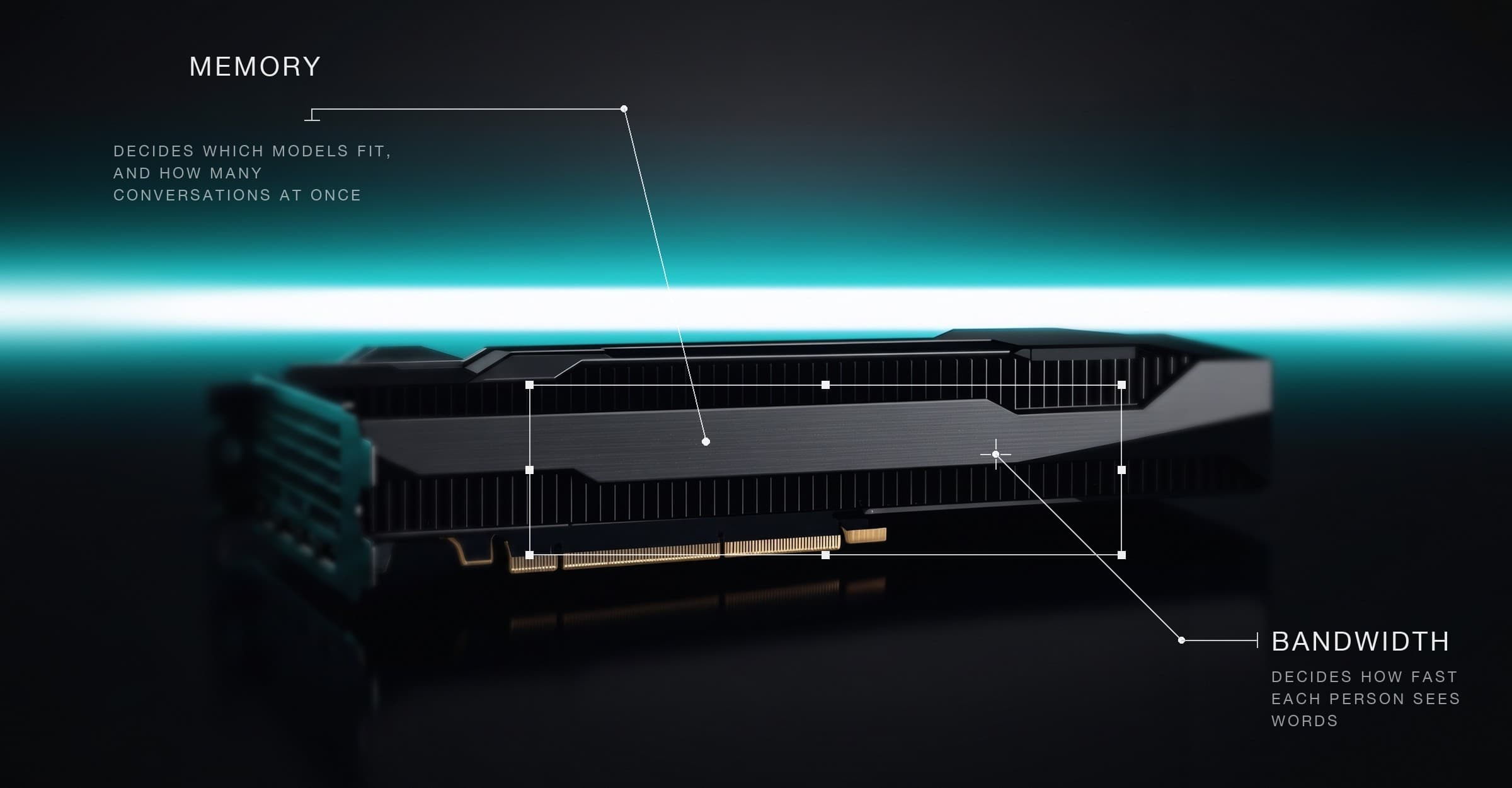
Three numbers decide what a GPU can do: memory decides which models fit, bandwidth how fast each person sees words, and compute how many people are served at once. Most organisations choose between PCIe cards for an ordinary server room and 8-GPU HGX boards for a high-density room.
GB
Memory
What fits. The weights must sit in GPU memory, plus room for every live conversation.
TB/s
Bandwidth
How fast. For each word, the GPU reads the active weights once. Usually the real bottleneck.
FLOPS
Compute
How many. Sets how many people are served together and how fast a long prompt is read.
How much memory a model needs
A 70-billion-parameter model needs about 70 GB at FP8, the usual serving precision. Every conversation needs memory on top, growing with its length and the number of people served at once. That part is the one most sizing exercises forget, and the simulator includes it.
| Precision | Bytes | A 70B model | Quality | Native on |
|---|---|---|---|---|
| BF16 | 2 | ~140 GB | Reference | Every GPU |
| FP8 | 1 | ~70 GB | Practically identical | L40S, H100, H200, Blackwell, AMD MI300 onward |
| FP4 | ~0.5 | ~37 GB | A small loss | Blackwell (RTX PRO 6000, B200, B300), AMD MI350 onward |
Total and active parameters
Most strong open models in 2026 are Mixture of Experts (MoE). gpt-oss-120b has about 117 billion parameters in total but uses about 5 billion for each word it writes. Total parameters decide memory. Active parameters decide speed. That is why a very large MoE model can feel fast once it fits.
The GPUs you will be offered
| GPU | Memory | Bandwidth | Power | In one line |
|---|---|---|---|---|
| L40S | 48 GB | 0.86 TB/s | 350 W | Older PCIe card. Small and supporting models. |
| RTX PRO 6000 | 96 GB | 1.6 TB/s | 600 W | Lower-cost PCIe card with plenty of memory. Native FP4. |
| H100 NVL | 94 GB | 3.9 TB/s | 400 W | Previous generation PCIe card, still common. |
| H200 NVL | 141 GB | 4.8 TB/s | 600 W | HBM bandwidth in a PCIe card, at a much higher price. |
| H200 (HGX) | 141 GB | 4.8 TB/s | 700 W | The safe, mature 8-GPU board for large models. |
| B200 (HGX) | ~180 GB | ~8 TB/s | ~1,000 W | About 1.7× the bandwidth of H200, plus FP4. |
| B300 (HGX) | ~270 GB | ~8 TB/s | ~1,100 W | B200 speed with half as much memory again. |
| AMD MI355X | 288 GB | 8 TB/s | 1,400 W | B200-class speed, more memory, liquid-cooled. ROCm, not CUDA. |
What the leading open models are good at, and what they need
| Model | Total / active | Good at | Weights | Smallest practical setup |
|---|---|---|---|---|
| Qwen3.6-27B | 27B dense | Coding and agents, strong for its size. Reads images, charts and scans. | ~28 GB at FP8 | One 48 GB GPU |
| Gemma 4 31B | 31B dense | Many languages, with 35+ supported. Documents, OCR and charts. Apache 2.0. | ~33 GB at FP8 | One 48 GB GPU for a few people, one 96 GB GPU for more |
| gpt-oss-120b | 117B / 5B | Reasoning, maths and tool calling, and fast. Text only. | ~61 GB at FP4 | One 80 GB or larger GPU |
| Mistral Small 4 | 119B / 6.5B | All-rounder from a European lab: chat with switchable reasoning, images and agentic coding. Apache 2.0. | ~125 GB at FP8, ~66 GB at FP4 | Two GPUs of 80 GB or more at FP8, or one 96 GB GPU at FP4 |
| GLM-5.3-Flash | 320B / 18B | Coding and agents close to the largest open models, plus images, charts and documents. MIT licence. | ~170 GB at FP4 | Four GPUs of 96 GB, or two of 141 GB |
| DeepSeek-V4.1-Flash | 552B / 16B, plus memory tables | Very long documents with little conversation memory. Coding, agents and images. | ~510 GB as shipped | Eight GPUs of 96 GB or more |
| GLM-5.3, Mistral Large 4, Kimi K3 | 753B to 2.8T | The hardest reasoning, coding and agent work, closest to frontier APIs. GLM-5.3 is text only; the other two also read images. | ~400 GB to 1.5 TB at FP4 | An 8-GPU HGX board; Kimi K3 needs B300 or MI355X-class memory |
To size a particular use, such as a team assistant, document review or coding agents, start from it in the simulator.
What does the room need?
Every kilowatt a server draws becomes a kilowatt of heat the room must remove. A GPU server takes weeks to a few months to arrive; a cooling upgrade can take longer. Ask how many kilowatts each rack can cool before you ask for a quote.
| Setup | Power under load | Cooling |
|---|---|---|
| One-GPU server | ~1 to 1.5 kW | Any server room |
| Four-GPU PCIe server | ~3.5 to 4 kW | Ordinary air-cooled room, if it takes the density |
| Eight-GPU PCIe server | ~6.5 to 7 kW | Air, with hot and cold aisle containment |
| HGX 8× H200 | ~10 to 11 kW | Air, high-density room |
| HGX 8× B200 or B300 | ~14 to 15 kW | Air in a high-density room, often liquid |
| Rack-scale systems | ~120 kW and up per rack | Direct liquid cooling only |
Three ways to cool
Room air
Up to ~15 kW per rack, ~25 kW with containment
Cold air in at the front, hot air out at the back. Many company rooms were built for 5 kW per rack.
Rear-door heat exchanger
Up to ~50 kW per rack
A chilled-water radiator replaces the rack's back door; servers stay air-cooled. The usual upgrade for an existing room.
Direct-to-chip liquid
Rack-scale and beyond
Cold plates on the GPUs and a coolant distribution unit. A facility project, usually in a modern colocation site.
Site checklist
- kW per rack the room can actually cool. Ask for the number, not “we have air conditioning”, then add up what goes into each rack.
- Electrical feeds and sockets. Two independent feeds and enough C19 or C20 sockets, often three-phase. Large GPU servers have up to eight power supplies, each with its own cord.
- UPS and generator. Will they carry the extra load, and for how long? GPU servers draw sharp power spikes.
- Inlet temperature. Recommended 18 to 27°C; some GPU server layouts are limited to a 30°C inlet.
- Weight, space and noise. A loaded 4U GPU server can weigh 50 kg or more and is too loud to sit near desks.
- Thermal monitoring. An overheated GPU slows down quietly, which looks like a software problem.
How is it built?
Put one gateway in front of everything, give each GPU tier the work it does best, and serve models with an engine built for many people. Applications only ever talk to the gateway, so models, servers and providers can change behind it.
Many organisations start from the same place: an existing virtualization platform with no GPUs, perhaps a couple of older inference cards, new GPU servers on order, and an external AI provider they may use for some tasks. This is how the pieces fit.
| Tier | Runs | Typical hardware |
|---|---|---|
| Platform | Gateway, router, applications, vector database, logs and audit. Small classifiers run on CPU, so routing never depends on a GPU. | Existing virtualization platform |
| Supporting models | Embeddings, reranking, OCR, speech, entity recognition and intent classification. Also development and testing. | Older or smaller GPUs, such as L40S |
| Main language models | Chat, agents, document review and other heavy work. | Newer GPU servers, PCIe or HGX |
| External provider | Frontier capability for approved data classes only, under contract. | A European model provider |
Design principles
- Applications only know one endpoint. Model servers are never called directly, and their ports are not reachable around the gateway.
- Write the routing rules down. An AI usage policy names the data classes, where each may go, and who approves external use, usually the data protection officer with the CIO or CDO.
- Models run from the GPU servers' own fast drives. The virtualization platform holds the platform, not the models. Language models on server CPUs are far too slow for people waiting.
- Decide early how the GPU servers are run. Plain Linux with vLLM is simpler and full speed; inside the virtualization platform gives one console with more layers. Changing later is costly.
- Two servers are two pools. On a standard network, run copies on each behind the router, so either can fail without an outage.
Serving it to many people
Route by current load rather than strict turns: a short question and a fifty-page document are both one request. Smarter routers also send a follow-up back to the copy that already holds the conversation, which answers faster.
Choosing a serving engine
The serving engine decides how many people one GPU can serve. Tools built for one machine handle a few requests at a time and queue the rest; engines built for servers add new requests to the work already running and share GPU memory between conversations far more efficiently.
| Engine | Built for | Use it when | Think twice when |
|---|---|---|---|
| vLLM | Many people on GPU servers | The default for production. Broad model and GPU support, NVIDIA and AMD, splits a model across GPUs, OpenAI-compatible API. | You run one model that never changes at very high volume on NVIDIA. TensorRT-LLM is usually a little faster there. |
| SGLang | Many people, long shared prompts | Agents and chat that reuse the same long instructions or documents. Strong on large MoE models. | Your team wants the largest community and most examples. |
| TensorRT-LLM | Peak speed on NVIDIA | One model at high volume on NVIDIA hardware, where the extra tuning pays off. | You switch models often or run AMD GPUs. |
| Ollama, llama.cpp | One machine, a few people | Laptops, workstations, demos and trying a model in minutes. They also run on CPUs and Macs. | More than a handful of people use it at once. Both can answer requests in parallel, but throughput levels off far below vLLM's. |
The software, layer by layer
| Layer | Common choices | Use when |
|---|---|---|
| Serving engine | vLLM, SGLang, TensorRT-LLM | vLLM is the default. SGLang is strong on large MoE models. TensorRT-LLM is often fastest on NVIDIA, with more tuning. |
| Load balancer | nginx, HAProxy | A few copies, with least-connections routing and health checks. |
| AI gateway | LiteLLM, or a governance layer on top | You need keys, budgets, audit and one API across local and external models. |
| Cluster serving | KServe, llm-d, NVIDIA Dynamo | Many copies and heavy traffic. More than one or two servers need. |
What to measure
A load test is only useful if it measures what people feel. Agree targets for these before the purchase, and test them at peak:
| Measure | What it tells you |
|---|---|
| Time to first word | How long people wait before anything appears, especially with long documents and a queue. |
| Speed per person | How fast the answer streams. Chat feels fluid above about 20 tokens per second. |
| Goodput | Requests per second that meet both targets. Throughput reached by making people wait does not count. |
| Behaviour under failure | Restart time, running out of memory, and losing a server. |
Splitting a model across GPUs
If a model fits on one GPU, run several copies and spread people across them. If it does not, the serving engine splits it with a setting, not with new code. Which split is fastest depends on the link between the GPUs, so benchmark it with your own prompts.
Copies
Data parallel
Every GPU holds the whole model and takes its own share of requests. Almost no traffic between GPUs: the most efficient option.
Slices of every layer
Tensor parallel
Each layer is cut into slices, and the GPUs combine results for every word. Lower latency; needs a fast link.
Blocks of layers
Pipeline parallel
GPU 0 runs the first quarter of the layers, GPU 1 the next. Data passes only at the boundaries, so a slower link is fine.
Experts spread out
Expert parallel, MoE only
Shared layers sit on every GPU; the experts are spread across them. Usually combined with one of the others.
How to choose
| If the model | Then |
|---|---|
| Fits on one GPU | Run copies: four copies of gpt-oss-120b on a four-GPU server, for example. |
| Needs a few GPUs, with NVLink | Tensor parallel across them. |
| Needs a few GPUs, without NVLink | Benchmark TP 4 against TP 2 × PP 2 with real prompts. NVIDIA's own guidance for RTX PRO 6000 systems suggests trying the pipeline split. |
| Needs more than one server | Tensor parallel inside each server, pipeline parallel between them, on a 400 Gb class network. On 25 GbE, avoid it. |
| Is a large MoE | Add expert parallel for the expert layers. |
Before you buy
Agree the workload first: the tasks, how many people at once, how long their documents are and how fast answers must be. Then gather the evidence below and compare at least two options over three years on the same workload.
Seven questions to answer first
- Which tasks, and what quality? “As good as ChatGPT” means frontier scale. The best open models are close, and the biggest need HGX-class hardware.
- How many people at the same moment, and how long are their documents? These drive memory more than people expect. Try both in the simulator.
- How fast must answers feel? Chat needs about 20 tokens per second per person. Overnight batch work can run on cheaper hardware.
- Serving only, or fine-tuning too? Training wants NVLink and HBM, so SXM boards such as H100, H200 and newer. Serving and light fine-tuning (LoRA) are fine on PCIe cards.
- Must the data stay on site? If not, renting cloud GPUs first is the cheapest way to learn what you need.
- What can the room power and cool? Often the real constraint. Ask before quoting B300 or MI355X.
- Who will run it? Drivers, CUDA or ROCm versions, the serving engine and monitoring need an owner from the first day.
The evidence behind a sound decision
| Evidence | Owner | Done when |
|---|---|---|
| Model evaluation | AI team | The model meets agreed quality on your own tasks |
| Load test | Platform team | Time to first word, speed per person and goodput measured at peak |
| Validated configuration | Infrastructure and vendor | Exact GPU, chassis, memory, power supplies and firmware supported together |
| Security review | Security and privacy | Data flows, access, audit and outbound connections approved |
| Facility sign-off | Data centre operations | Power, cooling, UPS and rack space confirmed in writing |
| Failure test | Operations | Server loss, restart and rollback demonstrated |
| Three-year comparison | Finance | Own hardware, colocation and a managed service compared on the same workload |
3-year cost = purchase + setup + 3 × (electricity + facility + support + operations) + spares and refresh
Compare on work done at an agreed service level, such as documents reviewed per hour or requests that meet both latency targets. Cost per token alone misleads when one option answers more slowly or less well. Include the standby capacity you need to survive losing a server.
Quick answers
Do we need the most expensive GPUs?
Not always. HBM GPUs such as the H200 and B200 are faster per person, link together with NVLink for large models, and train far better. They also cost several times more per card. For many people on small and mid-size models, PCIe cards often give more total output per euro. Compare both on your own workload in the simulator.
Should we wait for Rubin or B300?
Rubin began shipping in August 2026 and goes to large clouds first. Companies buying in the next year will mostly choose between PCIe cards such as the RTX PRO 6000 or H200 NVL, and HGX boards with H200, B200 or B300. Buying now and renting newer GPUs for peaks is a reasonable middle path.
Is AMD a real option?
Yes for large deployments: MI355X has more memory than B200 at similar bandwidth. NVIDIA's CUDA ecosystem is more mature; AMD's ROCm works well with vLLM and SGLang but needs more care. For a first server, NVIDIA is the lower-risk choice.
Can we run the best open model ourselves?
As of November 2026 the strongest open models, such as GLM-5.3, Mistral Large 4 and Kimi K3, range from about 750 billion to 2.8 trillion parameters. They need an 8-GPU HGX board, and the largest needs B300 or MI355X-class memory. A server with four 96 GB GPUs runs models up to about 400 billion parameters, such as GLM-5.3-Flash, and everything smaller.
How many people can it handle?
It depends on the model and the length of conversations. As a feel, one RTX PRO 6000 serving gpt-oss-120b reached between about 1,050 and 1,780 tokens per second in total in public vLLM tests. Benchmark with your own prompts before committing to numbers.
A phased rollout
- Before the hardware arrives. Define the data classes and routing rules, choose the gateway, and run one or two real use cases end to end on whatever GPUs you already have.
- When the GPU servers arrive. Add the main tier, move the models across, and benchmark the splits with real prompts.
- After that. Turn on external routing for approved data classes only, with pseudonymization and audit in place.
Subscribe
Field notes from Phi
AI changes by the day. We distil what matters, so you keep pace without the noise.
Glossary
- Token
- A piece of a word, about three quarters of an English word. Speed is quoted in tokens per second.
- Context
- How much text the model considers at once. 128,000 tokens is roughly a 300-page book.
- KV cache
- The model's working memory for each live conversation. Grows with length and with the number of people.
- HBM, GDDR
- Two kinds of GPU memory. HBM (H200, B200) is faster and much more expensive; GDDR (RTX PRO 6000) is cheaper.
- Inference
- Running a trained model to answer questions. What most organisations need.
- Fine-tuning, LoRA
- Adapting a model to your work. LoRA is a light form that needs far less hardware.
- MoE
- Mixture of Experts: a large model that uses only a small part of itself for each word.
- Quantization
- Storing weights at lower precision (FP8, FP4) to save memory and gain speed.
- DP, TP, PP, EP
- Copies, and three ways to split one model across GPUs. See chapter 06.
- NVLink, HGX
- NVIDIA's fast private link between GPUs, and the 8-GPU board built around it.
- MIG
- Splits one physical GPU into several isolated smaller ones.
- Gateway
- The front door for every AI request: keys, budgets, policy, audit and routing.
- PUE
- Total facility power divided by IT power. 1.4 means cooling and distribution add 40%.
- Pseudonymization
- Replacing names with codes. Under GDPR the result stays personal data for anyone who can link it back, which includes you.
Sources
- NVIDIA RTX PRO 6000 Blackwell Server Edition datasheet
- Dell PowerEdge XE7740 technical guide
- Runpod: H200 specifications
- Runpod: B200 specifications
- Verda: B300 and B200 compared
- SemiAnalysis: AMD MI355X
- NVIDIA HGX platform, including HGX Rubin NVL8
- vLLM recipe: DeepSeek-V4.1-Flash, Engram tables and memory
- Mistral: Mistral Large 4 open weights
- vLLM benchmark on RTX PRO 6000
- Community vLLM benchmark: gpt-oss-120b on RTX PRO 6000
- TensorRT-LLM performance overview, including TP and PP on RTX PRO 6000
- Red Hat: Ollama and vLLM performance benchmark
- NVIDIA Multi-Instance GPU user guide
- 2CRSI: Blackwell to Rubin, power and cooling
- Data Center Knowledge: rack power is rising fast
- Supermicro 50 kW rear door heat exchanger
- GDPR Recital 26: pseudonymized data
- Court of Justice of the EU, C-413/23 P, EDPS v SRB (2025)
Published by Phi Labs, Luxembourg. Hardware figures are vendor specifications checked in October 2026; open models checked in November 2026, and that landscape changes monthly. Simulator results are planning estimates, not benchmarks or performance commitments.